Icom ID-52PLUS MARS mod
In order to expand TX capabilities of the Icom ID-52PLUS you need to remove two diodes from the front panel PCB.
Instructions:
- Power off your radio.
- Remove the battery.
- Remove the antenna.
- Remove the SD card. Not doing so will make removing the innards of the radio impossible later on.
- Remove the two rotary encoders knobs, one by one. Use plastic tools to avoid marring the surfaces.
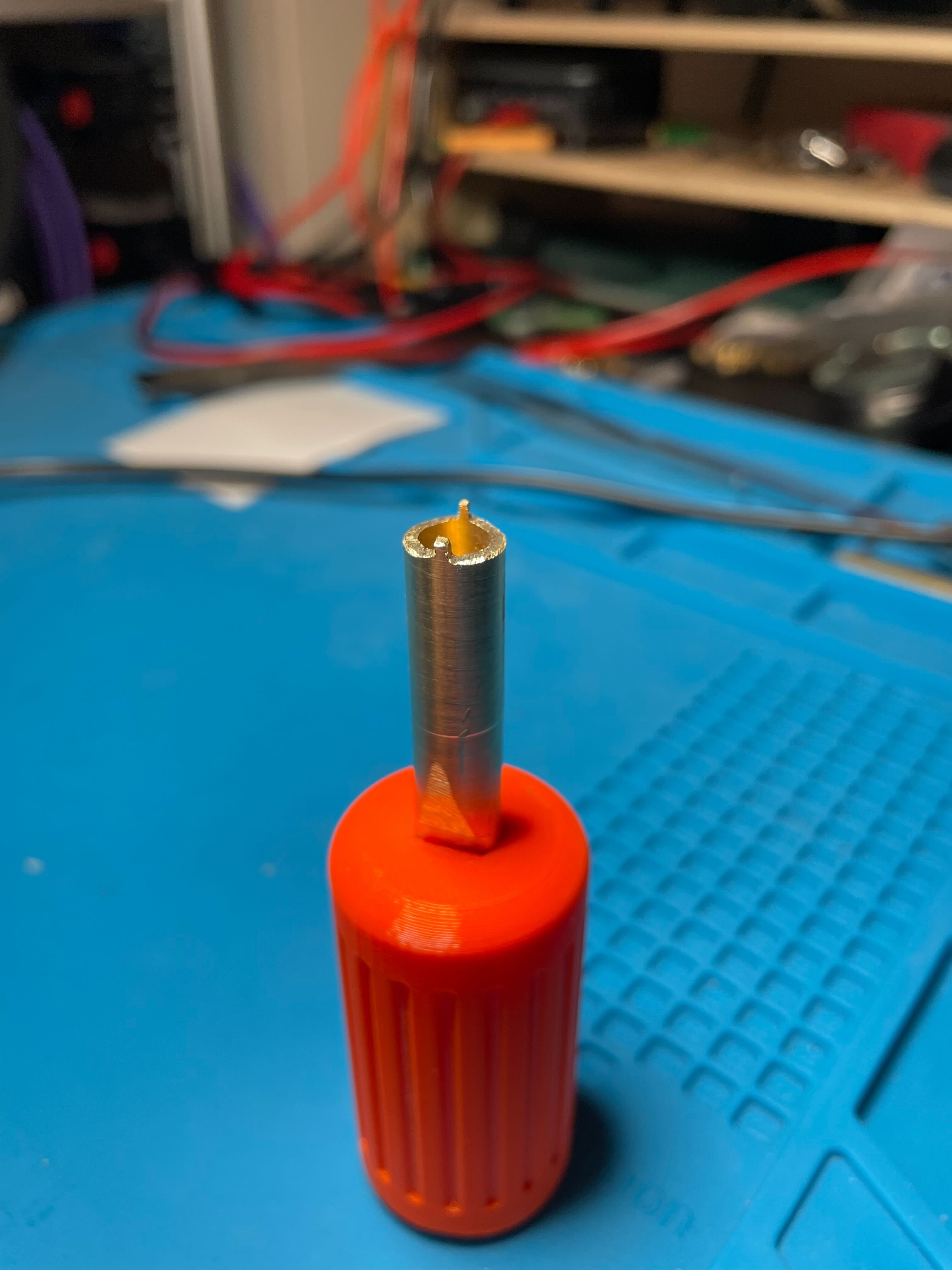
- Remove the two slotted nuts of the SMA connector and the rotary encoder. I was not able to remove the SMA connector nut without making a tool for it, but as far as I understand other people managed just fine with small screwdrivers.
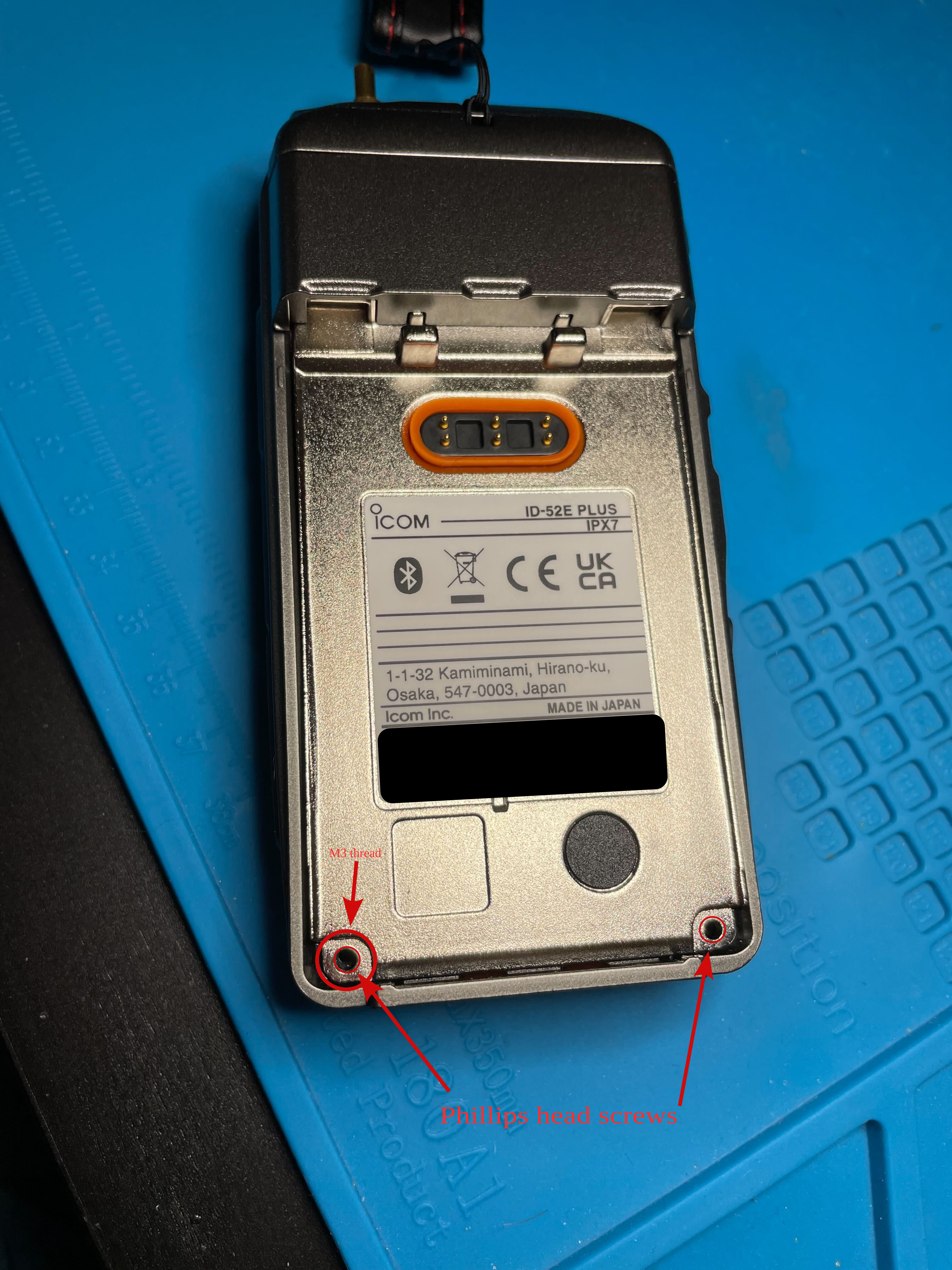
- Remove the two Phillips head screws from the bottom of the radio in the battery bay.
- The hole where the left side screw came off is threaded in M3. You can screw in any M3 bolt and use it to gently lift up the innards of the radio.
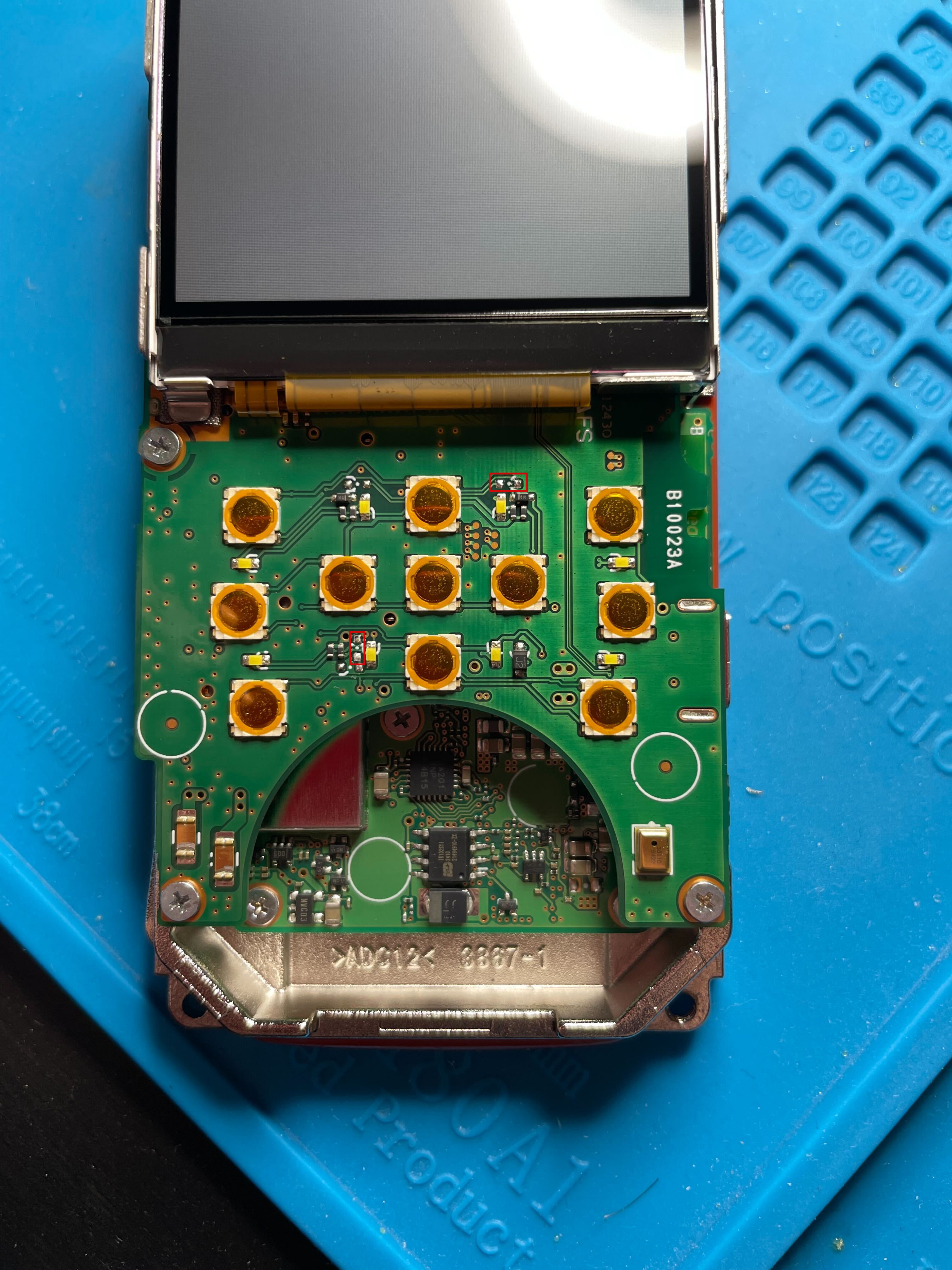
- Remove the two diodes highlighted in the photo below.
Below is a picture of the PCB with the two diodes removed. The placement of the diodes is highlighted with red outlines.
Below is a picture of the back side of the radio:
Below is a picture of the tool I made to unscrew the two slotted nuts. Internal diameter is 7mm. Grooves are (awfully) filed by hand.
As far as I am aware the mod is identical for ID-52.